

- 1. Pick up some basic technology
- 2. Set up your classroom environment
- 3. Engage with your students
- Engaging videos
- Online games
- 4. Encourage communication
- 5. Plan your classes
- Conclusions
- Frequently Asked Questions
- What basic technology do I need to start online tutoring?
- How can I set up an effective online classroom environment?
- What strategies can I use to engage my online students?
- How can I encourage communication with my students?
- What should I consider when planning my online classes?
Technological advancements are revolutionizing education by creating innovative learning opportunities and eliminating geographical barriers. Many traditional educators are successfully transitioning to online teaching, drawn by the flexibility to work from anywhere and control their schedules, rates, and workloads. Simultaneously, the demand for online learning is surging, making it essential for tutors to effectively market themselves to quickly fill their weekly class schedules.
While becoming an online tutor offers exciting opportunities, it also presents unique challenges. Transitioning from traditional classroom teaching to online tutoring can be daunting for many. The shift requires a different approach and mindset, and some individuals may find it difficult to adapt to this new style of teaching.
Don’t worry! Teaching online is becoming increasingly accessible, and we’re here to support you every step of the way. This guide will walk you through the process of conducting online classes and help you establish yourself in your new career.
1. Pick up some basic technology
Great news! You don’t need a lot of fancy technology to kickstart your journey as an online tutor. The essentials you truly need are:
- A computer
- A fast and stable internet connection
- Video calling software
While most computers come equipped with built-in cameras and microphones, enhancing your lesson quality can be achieved by investing in a high-quality microphone and camera. This upgrade can significantly improve audio clarity and video resolution, making your presentations more engaging for your audience.
This technology enables the delivery of online classes, but it also reveals a crucial distinction between virtual and in-person learning: if technical issues arise, there’s typically no IT support on hand to assist you. Familiarizing yourself with both your hardware and software can prevent disruptions that might cause you to miss a class. Additionally, it’s wise to have a backup plan in place—such as offering a makeup class with extended time—should a critical component fail.
If your calls are often lagging or dropping, it can seriously disrupt your students’ learning experience. To avoid this, consider using an established online tutoring platform, as many offer built-in tools for testing your internet speed. These resources allow you to check your connection quickly and troubleshoot any issues before your lessons begin, ensuring a smoother teaching experience.
We recommend testing your connection ahead of time to avoid any surprises. If you do encounter issues, consider providing your student with additional class time or extra activities as a thoughtful gesture.
Expert Advice from a Tutor: “Before diving into tutoring, I highly recommend dedicating time to find the right online platform. Tutoring online through a reputable language platform has been a rewarding experience for me. It enables me to connect with students globally, sharing not just the Spanish language, but also the richness of my culture.” — Hernán Cotela, Spanish tutor at LingualNeeds.

2. Set up your classroom environment
The ideal spot for your dedicated workspace is undoubtedly at home. Setting up your home office allows you to create a learning environment tailored to your needs. To enhance your productivity, consider eliminating distractions, keeping your desk tidy, and investing in a comfortable chair. The more personalized and inviting your workspace feels, the better you’ll be able to concentrate and get things done!
No matter where you’re tutoring—be it from home, a café, or a co-working space—it’s crucial to test your audio quality beforehand. Start by calling a friend to ensure they can hear you clearly. A quiet environment is vital for effective communication, as you want your students to catch every nuance of your instruction. If you encounter significant background noise, be sure to address it before your classes begin.
To enhance visibility during your video calls, position your camera directly in front of you, allowing you to face the student rather than glancing sideways at a screen. Adjust the angle so your face and hand gestures are clearly visible. Additionally, sit with windows in front of you instead of behind; this will ensure that natural light highlights your face, making you more engaging and easier to see.
A well-chosen backdrop can enhance your virtual classroom experience, creating an inviting ambiance for your students. With many video-calling platforms offering interactive background options, you can easily customize your environment, ensuring a cohesive look regardless of where you’re teaching from. This thoughtful detail helps establish a true “classroom feel” that can engage and motivate learners.

3. Engage with your students
To truly connect with your students, it’s essential to resonate with their interests and experiences. By immersing yourself in online culture and familiarizing yourself with various platforms, you can enhance your engagement and create a more impactful learning environment.
Many tutors face challenges when shifting from in-person to online classes. This transition can be tricky due to several differences in the learning environment. For instance, the absence of a physical classroom means that tutors can’t utilize tangible objects to enhance their teaching.
Engagement hinges on your ability to embrace change. Rather than relying solely on physical objects to enhance your teaching, encourage students to bring their own items or showcase yours via the camera. Additionally, instead of discouraging phone use as you might in a traditional classroom, think about integrating social media into your lesson plans to foster interaction and connection.
Online tutoring offers unique benefits that enhance student engagement. By digitally tracking progress and providing feedback on specific goals, tutors can gamify the learning experience—an effective strategy for improving educational results. To further motivate students, consider implementing reward systems that acknowledge those who consistently complete their assignments, meet deadlines, and take initiative in their learning outside of class.
Incorporating videos and online games can significantly enhance the engagement level of your lessons. Here are some popular options that students love and you might consider trying:
Engaging videos
Videos serve as an excellent tool to captivate students and enhance their learning experience. They can be utilized as a refreshing interlude during class or assigned as homework to reinforce concepts outside the classroom.
- Class Dojo offers engaging animated content for young children, combining vibrant visuals and energetic storytelling to enhance their learning experience.
- Easy English creates engaging videos that highlight topic-specific phrases with a touch of humor. Primarily UK-focused, the channel explores essential topics, including the proper way to make British tea.
- VOA Learning English has a series of minute-long videos focusing on new phrases, using American pronunciation.
- EF International Language Campuses uses speakers from all over the world, discussing the places they live, work or travel to.
- Khan Academy creates educational content for a wide range of topics, from math and engineering to arts and the humanities.

Additionally, if you come across a video of a weatherman struggling to pronounce an exceptionally long town name—or something equally entertaining—you can incorporate it into your lessons to add an exciting twist!
Streaming services can be incredibly valuable educational tools. Series like *We Are The Champions* and *Home Game* showcase fascinating sports and cultural traditions from across the globe. Engaging your students by asking about their interests and assigning them an episode to watch for homework can serve as an excellent springboard for your next class discussion.
Online games
Classroom games have the potential to spark lively discussions and enhance engagement, but they can also lead to distractions that pull students’ focus away from the lesson.
- Geoguessr is an engaging classroom game that challenges players to pinpoint their location on a world map using Google Street View. Players are dropped into random locations and must use surrounding clues to make their guesses.
- Sporcle offers thousands of free, engaging quizzes in creative formats, making it a fun destination for quiz enthusiasts.
- Codewords is an engaging team game that challenges students to explore word connections and enhance their vocabulary skills.

4. Encourage communication
Teaching in a remote, digital environment can sometimes diminish the warmth and connection between tutors and students. To counter this, it’s essential to create a friendly atmosphere and promote open communication, ensuring that students feel valued and welcome in your class.
Conversely, online platforms have revolutionized communication, making it simpler than ever for students and tutors to connect and collaborate effectively.
Ensure your students are aware of your availability and the best ways to contact you. Being approachable fosters a supportive environment where students feel comfortable seeking help. While some may readily reach out, others might hesitate due to shyness. By clearly communicating your openness and encouraging them to connect, you create a welcoming atmosphere that invites all students to engage with you.
Student no-shows can be a challenge, but addressing this issue is crucial for their ongoing development. Establishing a consistent weekly class at the same day and time helps students plan their schedules and recognize that time as dedicated “lesson time.” Additionally, reaching out to students at least once between classes can significantly enhance attendance and engagement.
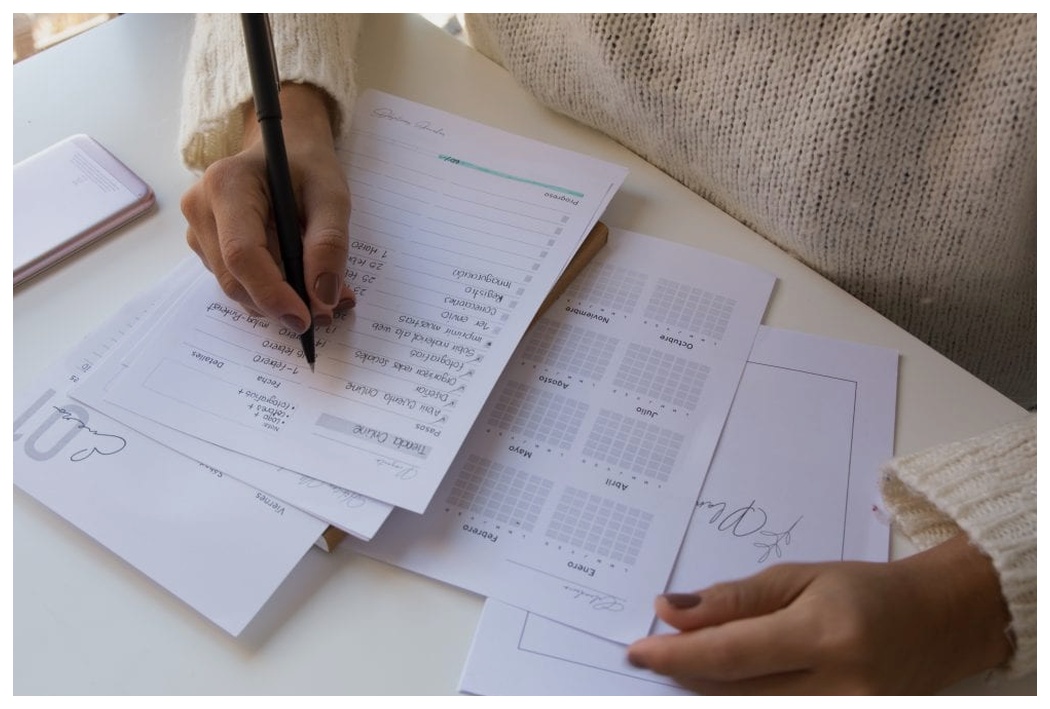
When teaching group classes, it’s essential to nurture student interactions. Experienced educators know that identifying common interests can significantly enhance communication among students. For instance, if they all enjoy a popular series, suggest forming a weekly discussion group. In language classes, creating a collaborative Spotify playlist of songs in the target language can be a fun way to engage. Additionally, consider setting up a group chat on popular platforms like WhatsApp or Instagram, where students can share videos, memes, and messages throughout the week. Making the learning experience enjoyable and fostering easy connections helps students feel like they’re part of a supportive community, making classes more enjoyable and effective.
5. Plan your classes
In an online learning environment, your capacity to improvise is somewhat restricted, particularly because you lack the physical presence of your student. Additionally, in one-on-one sessions, you miss the opportunity to have students pair up for speaking practice, which can limit their interactive learning experience.
Conversely, these limitations can actually benefit students. By providing lesson plans and materials on an online teaching platform ahead of class, you empower students to set their expectations and even get a head start on the reading. This proactive approach enhances their learning experience and prepares them for success.
Just like in traditional classrooms, recognizing that students have unique learning styles is essential. A one-size-fits-all lesson plan often falls short. Private classes offer the perfect opportunity to tailor your approach to each individual student. With the focus on one learner at a time, you can design lessons that suit their specific needs. For instance, in language classes, some students thrive on mastering grammar rules, while others may prefer a more conversational format, aiming to achieve one or two small language goals during each session.
Here’s a quick checklist for things to keep in mind when planning an online class:
- Make sure the class schedule is clear and accessible to students.
- Prepare digital copies of handouts for students.
- Check that the links still work (e.g. for sharing a YouTube video).
- Have an extra task ready in case the class ends earlier than you anticipated.
- Create a clear workflow with your students for sending class materials, submitting homework, communicating online, etc.
Pro Tip: If you’re feeling overwhelmed or unsure about planning your lesson, reach out to your colleagues for support. Fortunately, there are numerous free resources available where educators share their insights. Social media platforms such as Facebook, LinkedIn, and Reddit host vibrant communities of teachers eager to exchange successful lesson plans, engaging activities, and valuable tips for enhancing your teaching skills. Don’t hesitate to tap into these rich networks!
Conclusions
Online tutoring is rapidly gaining popularity among a diverse range of individuals. It’s not just students seeking alternative learning methods beyond the traditional classroom; it’s also aspiring tutors eager for a fresh career path. With the ongoing impact of the coronavirus pandemic, now is the ideal time to embrace remote work and enjoy the flexibility of setting your own hours by becoming an online tutor.
So, let’s quickly recap what we’ve covered here:
- Get your software and hardware set up, and consider using an all-in-one platform for running your classes.
- Create a classroom environment that helps your students feel engaged, while also helping you focus on your work.
- Engage students by incorporating relatable language, fun activities, and adapting your lessons for the online classroom experience.
- Facilitate student communication by providing easy access to contact you and enabling interaction among peers between group classes.
- Make sure you have a solid lesson plan ready each week.
- Never stop learning and improving, and take on what experienced tutors have to share with you.
Frequently Asked Questions
What basic technology do I need to start online tutoring?
You need a computer, a fast and stable internet connection, and video calling software.
How can I set up an effective online classroom environment?
Choose a quiet space at home, eliminate distractions, ensure good audio quality, and position your camera to enhance visibility.
What strategies can I use to engage my online students?
Incorporate interactive videos, online games, and encourage students to share their own experiences and items during lessons.
How can I encourage communication with my students?
Be approachable, clearly communicate your availability, and foster interactions through group chats and collaborative activities.
What should I consider when planning my online classes?
Ensure the class schedule is clear, prepare digital materials in advance, and tailor lessons to meet individual student needs.


